
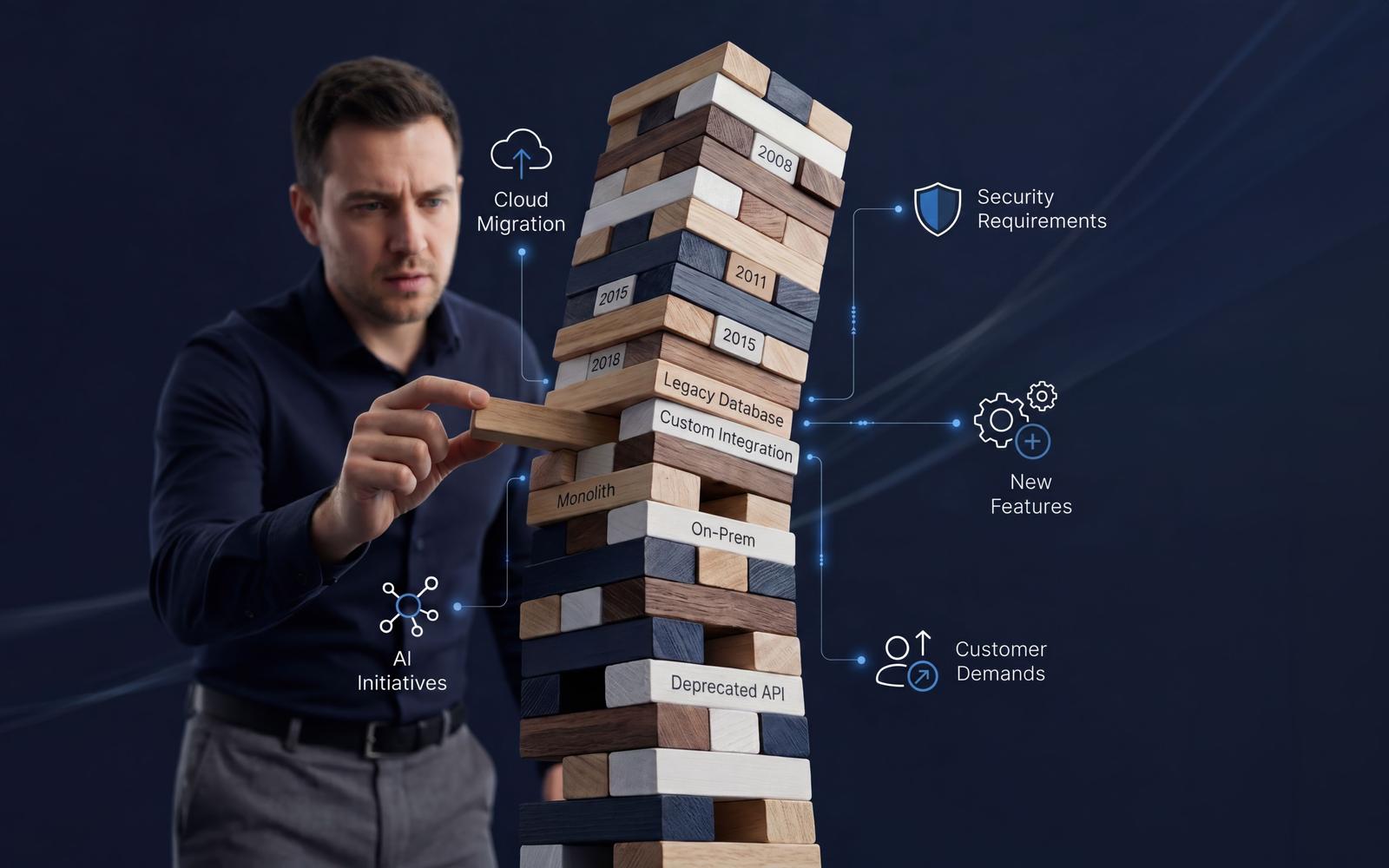
Many companies continue using legacy systems for years without major issues. The platform still works, customers continue using the product, and the business keeps operating normally.
The real problem is that legacy systems often become a business constraint long before they become a technical failure.
Development slows down, deployments become risky, infrastructure costs increase, and engineering teams spend more time maintaining old logic than building new functionality. Over time, technical debt turns from an engineering concern into a business problem.
Today, legacy application modernization is increasingly connected to cloud adoption, scalability, security, engineering velocity, and AI initiatives. Many companies want to introduce automation, AI-powered features, or modern integrations, but older architectures are often not prepared for these changes.
At the same time, legacy modernization is rarely just a technology upgrade. Successful legacy system transformation projects usually involve changes across architecture, infrastructure, deployment processes, integrations, and development workflows. The longer modernization is delayed, the more expensive and risky it typically becomes.
This guide explains when legacy system modernization becomes necessary, how to evaluate different legacy modernization strategies, what modernization costs to expect, and how organizations can reduce risk while improving long-term scalability and operational efficiency.
What Is Legacy System Modernization
Legacy system modernization is the process of reducing the technical and operational limitations that prevent a system from supporting current business needs efficiently. In practice, modernization is not simply about updating old code or moving infrastructure to the cloud. The main goal is usually to make the platform easier to maintain, safer to change, faster to scale, and more adaptable to future product requirements.
Today, a system becomes “legacy” not only because of age. In many cases, relatively young systems already create serious operational problems due to architectural limitations, poor scalability, outdated dependencies, weak observability, or highly coupled components that are difficult to modify safely. This is why legacy systems are often defined more by limitations than by technology itself.
One of the most common misunderstandings is treating maintenance, upgrades, refactoring, and modernization as the same thing. In reality, these are very different activities:
| Strategy | Core Focus | Business Impact |
|---|---|---|
| Maintenance | Keeping the system operational through patches and bug fixes. | Preserves status quo; does not add new value. |
| Upgrades | Updating frameworks, libraries, or infrastructure without major changes. | Ensures security compliance and basic vendor support. |
| Refactoring | Improving code structure and maintainability while preserving behavior. | Reduces technical debt and improves developer velocity. |
| Modernization | Architectural, infrastructure, scalability, and operational improvements. | Enables long-term product agility and business growth. |
| Rebuilding | Replacing the system entirely with a brand-new custom platform. | High risk/reward; completely eliminates legacy constraints. |
Modernization also does not automatically mean rebuilding everything from scratch. Full rewrites are often expensive, risky, and difficult to execute successfully because older systems usually contain years of undocumented business logic, fragile integrations, and operational dependencies. This is why many companies modernize systems incrementally instead of replacing the entire platform at once.
In real projects, modernization often starts with the areas creating the highest operational pressure, such as infrastructure and cloud migration, deployment pipelines and CI/CD, APIs and integrations, frontend architecture, scalability bottlenecks, observability and monitoring, or security layers.
The business goals behind modernization are usually practical rather than purely technical. Companies typically want to improve release velocity, reduce maintenance complexity, support future scaling, strengthen security, simplify integrations, lower operational costs, and prepare systems for modern requirements like AI workloads and cloud-native infrastructure.
Why Modernize Legacy Systems
Legacy systems stop being only a technical problem when they begin affecting business operations directly. This usually happens when development slows down, outages become more frequent, infrastructure costs increase unpredictably, or teams lose confidence in making changes safely. At that point, technical limitations start impacting revenue, customer experience, scalability, and product delivery.
Technical Debt Accumulation
Technical debt rarely appears all at once. It usually grows through years of temporary fixes, rushed releases, outdated dependencies, duplicated logic, missing tests, and postponed infrastructure improvements. Over time, these decisions compound into systems that become increasingly fragile and difficult to evolve. The biggest problem is that technical debt often remains invisible until growth exposes the limitations.
Slow Feature Delivery
One of the clearest business risks is declining development velocity. In many legacy systems, business logic is tightly interconnected, documentation is incomplete, deployments are manual, and automated testing is limited or missing. As a result, even small product changes may require modifying several fragile parts of the system. Engineering teams spend more time preventing regressions than building new functionality. Eventually, release cycles become significantly slower.
Scaling Challenges
Many legacy systems were not designed for modern scalability requirements. Common problems include monolithic architectures, database bottlenecks, tightly coupled services, limited horizontal scaling, and shared infrastructure dependencies. As demand grows, companies often compensate by adding more infrastructure instead of improving architecture. This increases operational costs without solving the underlying scalability issues.
Security and Compliance Risks
Security risks become especially serious in healthcare, SaaS, finance, and other regulated industries. Legacy environments often contain unsupported frameworks, missing security patches, outdated authentication mechanisms, weak access controls, insecure APIs, and insufficient audit logging. In healthcare environments, older systems may also struggle to support modern compliance requirements around HIPAA, GDPR, auditability, access traceability, and secure integrations. The situation becomes even riskier when companies cannot safely update the system because the architecture itself is too fragile.
Integration Limitations
Modern platforms depend heavily on APIs, cloud services, real-time communication, and scalable data access. Legacy systems often rely on hardcoded integrations, fragmented databases, batch-based processing, outdated protocols, or tightly coupled internal logic. This creates major limitations when integrating modern SaaS platforms, cloud services, customer-facing applications, or AI systems.
Dependency on Legacy Knowledge
One of the biggest hidden risks is knowledge concentration inside a small number of engineers. In many legacy environments, critical operational knowledge exists only inside the heads of a few senior developers who have maintained the system for years. Over time, documentation becomes outdated, onboarding becomes difficult, and architecture decisions lose historical context. If those engineers leave or become unavailable, the company can suddenly lose the ability to safely maintain critical systems.
Rising Maintenance Costs
The financial impact of legacy systems is often underestimated because many costs are indirect. Common hidden costs include engineering inefficiency, frequent production incidents, operational downtime, extended QA cycles, support overhead, delayed integrations, and cloud resource inefficiency. In some environments, companies eventually spend more money maintaining complexity than delivering new business value.
AI and Cloud Adoption Barriers
Many legacy architectures were never designed for cloud-native infrastructure or AI workloads. As a result, companies often discover that before adopting AI, they first need to modernize core parts of their platform. AI systems typically require centralized and accessible data, scalable compute resources, modern APIs, reliable integration layers, and strong observability. Legacy environments frequently lack these capabilities, making both cloud migration and AI adoption significantly more difficult.
The Core Misconception: One of the biggest misconceptions companies have is believing modernization can wait as long as the system still works. In reality, the main issue is rarely whether the platform functions today. The real issue is whether the business can continue evolving efficiently on top of it.
Signs Your System Needs Modernization
A system does not become legacy overnight. Usually, the first signs appear gradually: small changes take longer, deployments become more stressful, and engineers start avoiding certain parts of the codebase. At this stage, the system may still work for users. But internally, it becomes harder to maintain, scale, and change safely.
| Sign | Why It Becomes a Risk |
|---|---|
| Slow feature delivery | Small changes require too much engineering effort and delay product plans. |
| Frequent production issues | Teams spend more time fixing incidents than improving the product. |
| Rising maintenance costs | More budget goes into keeping the system alive instead of building new value. |
| Scaling problems | The platform cannot handle growth without expensive workarounds. |
| Difficult integrations | New tools, partners, APIs, or AI features require too much custom work. |
| Manual deployments | Releases become slower, riskier, and harder to roll back. |
| Dependency on legacy knowledge | Critical system knowledge exists only inside a few engineers’ heads. |
| Security gaps | Outdated dependencies, weak access control, or missing audit logs increase exposure. |
| Infrastructure complexity | Operations become harder to manage because environments and scripts are inconsistent. |
Slow Feature Delivery
One of the clearest signs is declining development speed. In legacy systems, even small features may require changes across several fragile modules. Teams spend more time checking side effects, testing manually, and avoiding regressions than building new functionality. A strong warning sign is when delivery slows down even after the team grows. This usually means architectural complexity is absorbing additional engineering capacity.
Frequent Production Issues
Recurring incidents are another clear signal. Not every outage means the system needs modernization. Some issues can be fixed through optimization or better monitoring. But if incidents happen because of architectural bottlenecks, fragile dependencies, deployment instability, or poor observability, temporary fixes will not solve the root problem. In legacy environments, even diagnosing production issues often takes longer because teams lack proper tracing, logs, and monitoring visibility.
Rising Maintenance Costs
Maintenance becomes a warning sign when costs keep growing without improving product agility. This often looks like more time spent on bug fixes, longer QA cycles, higher support overhead, increasing infrastructure bills, and fewer resources left for new features. At the executive level, the question is not only how much modernization costs. The better question is how much the current system already costs the business through slow delivery, incidents, inefficiency, and missed opportunities.
Scaling and Performance Problems
Scaling issues often appear when the product grows beyond the architecture’s original assumptions. Common signs include database bottlenecks, unstable peak-time performance, slow response times, resource contention, and rising infrastructure costs. In monolithic systems, scaling can become especially inefficient because the whole platform may need more resources even when only one component is under pressure.
Difficult Integrations
Legacy systems often accumulate integration complexity over years. APIs may be inconsistent, documentation may be missing, data synchronization may be fragile, and third-party connections may rely on hardcoded logic. This becomes a serious limitation when the business needs to connect new SaaS tools, partner systems, customer-facing applications, cloud services, or AI platforms.
Manual Deployment Processes
Outdated release processes are often a strong modernization signal. Common problems include long deployment windows, manual database changes, rollback difficulties, environment inconsistencies, and deployment-related outages. When releases require scheduled downtime or direct production intervention, product delivery becomes slower and operational risk increases.
Dependency on Legacy Knowledge
Many legacy systems depend heavily on a few senior engineers who understand how the platform behaves in production. This creates a hidden business risk. If those people leave, become unavailable, or burn out, the company may lose the ability to safely maintain or change critical parts of the system. Slow onboarding and poor documentation usually make this risk worse.
Security and Compliance Gaps
Security issues become especially important in SaaS, healthcare, finance, and other data-sensitive environments. Warning signs include unsupported frameworks, outdated libraries, weak encryption, inconsistent access control, missing audit logs, poor secrets management, and limited security monitoring. In healthcare systems, companies should also pay close attention to auditability, access traceability, data retention, API security, and incident response readiness.
Increasing Infrastructure Complexity
Infrastructure complexity usually grows through years of short-term decisions. Companies accumulate custom deployment scripts, duplicated environments, inconsistent monitoring, partially migrated services, manual processes, and temporary workarounds. Over time, operations become harder to control. The system may still function externally, but internally it becomes increasingly expensive and risky to evolve.
Top Legacy Modernization Strategies
There is no single approach to legacy system modernization. Most real-world legacy system modernization approaches combine multiple strategies depending on system complexity, business priorities, operational risk, and long-term goals. For example, a company may migrate infrastructure to the cloud, refactor critical services, modernize APIs, and rebuild only the most problematic modules while keeping stable parts of the system operational. Modernization is usually a gradual process rather than a single transformation event.
Rehosting (Lift-and-Shift)
Rehosting means moving an existing system to new infrastructure — typically cloud environments — with minimal architectural changes. This approach is often used when companies want to exit outdated data centers, reduce infrastructure maintenance, improve hosting reliability, or accelerate cloud adoption quickly. Rehosting is usually the fastest and least expensive strategy. However, it mainly improves infrastructure positioning and operational flexibility. It does not solve deeper architectural or scalability problems.
Replatforming
Replatforming introduces limited platform-level improvements while keeping the core application structure mostly unchanged. Examples include migrating from on-premises SQL Server or MySQL databases to managed cloud services such as AWS RDS, moving applications into Docker containers orchestrated with Kubernetes, replacing self-managed infrastructure with AWS, Azure, or Google Cloud services, and modernizing deployment environments using CI/CD platforms like GitHub Actions, GitLab CI/CD, or Azure DevOps.
This approach helps reduce operational overhead, improve scalability, strengthen reliability, and simplify infrastructure management without requiring a complete architectural redesign. Replatforming is often chosen when companies want to gain cloud-native benefits while minimizing migration risk and preserving existing business functionality.
Refactoring
Refactoring focuses on improving internal code quality, maintainability, testing, and deployment stability while preserving existing business functionality. It is often the best approach when the platform still provides business value, the architecture is partially workable, but development speed and maintainability have degraded significantly. Compared to full rebuilding, refactoring usually carries lower operational risk because the system evolves gradually instead of being replaced entirely.
Rebuilding
Rebuilding means creating a new version of the platform or major components using modern architecture and technologies. This approach may become necessary when the existing system can no longer support future business requirements effectively. However, rebuilding carries major risks. Legacy systems often contain years of undocumented workflows, hidden business rules, fragile integrations, and operational exceptions that companies underestimate during planning. Common rebuilding risks include timeline expansion, budget overruns, migration complexity, delayed feature delivery, and maintaining old and new systems simultaneously for extended periods.
System Replacement
Replacement means abandoning the existing platform entirely and adopting another solution — often a third-party SaaS platform or enterprise product. This can work well when business processes are relatively standardized and the cost of maintaining custom infrastructure is no longer justified. However, replacement becomes risky when systems contain highly customized workflows, deep integrations, or complex compliance requirements. In some cases, replacing the platform creates more operational disruption than modernizing it incrementally.
Incremental vs Full Modernization
In most enterprise environments, gradual modernization is usually safer than full rewrites. Incremental approaches allow companies to reduce operational risk, continue delivering features, validate changes gradually, and avoid large-scale migration failures. Common incremental modernization patterns include API-layer modernization, service extraction, phased refactoring, modular replacement, strangler-pattern migrations, and gradual cloud migration. Full rewrites are typically the highest-risk option because they require large organizational coordination, long timelines, and significant operational continuity planning.
Choosing the Right Strategy
Choosing the right legacy system modernization approach depends on multiple factors, including architecture complexity, business continuity requirements, compliance constraints, integration dependencies, engineering expertise, scalability goals, AI readiness, budget, and migration timelines. For example, rehosting may work well for short-term cloud adoption goals. Refactoring may be more suitable when delivery speed and maintainability are the main problems. Rebuilding may only make sense when the architecture is fundamentally unsalvageable. The most important part is aligning the strategy with operational reality rather than technology trends. Companies planning large-scale modernization initiatives often start with architecture assessment, dependency analysis, and operational risk evaluation before defining long-term priorities. Learn more about JetBase’s legacy system modernization services.
Common Modernization Mistakes
One of the most common mistakes is trying to modernize everything at once. Other frequent problems include underestimating hidden legacy complexity, ignoring operational dependencies, lacking migration sequencing, prioritizing short-term speed over maintainability, or assuming cloud migration automatically solves architectural problems. Another major issue is unrealistic expectations. Modernization projects usually happen while the business continues operating, shipping features, supporting customers, and maintaining existing systems simultaneously. Without realistic planning and executive alignment, even technically correct modernization strategies can fail operationally.
Refactor vs Rebuild vs Replace
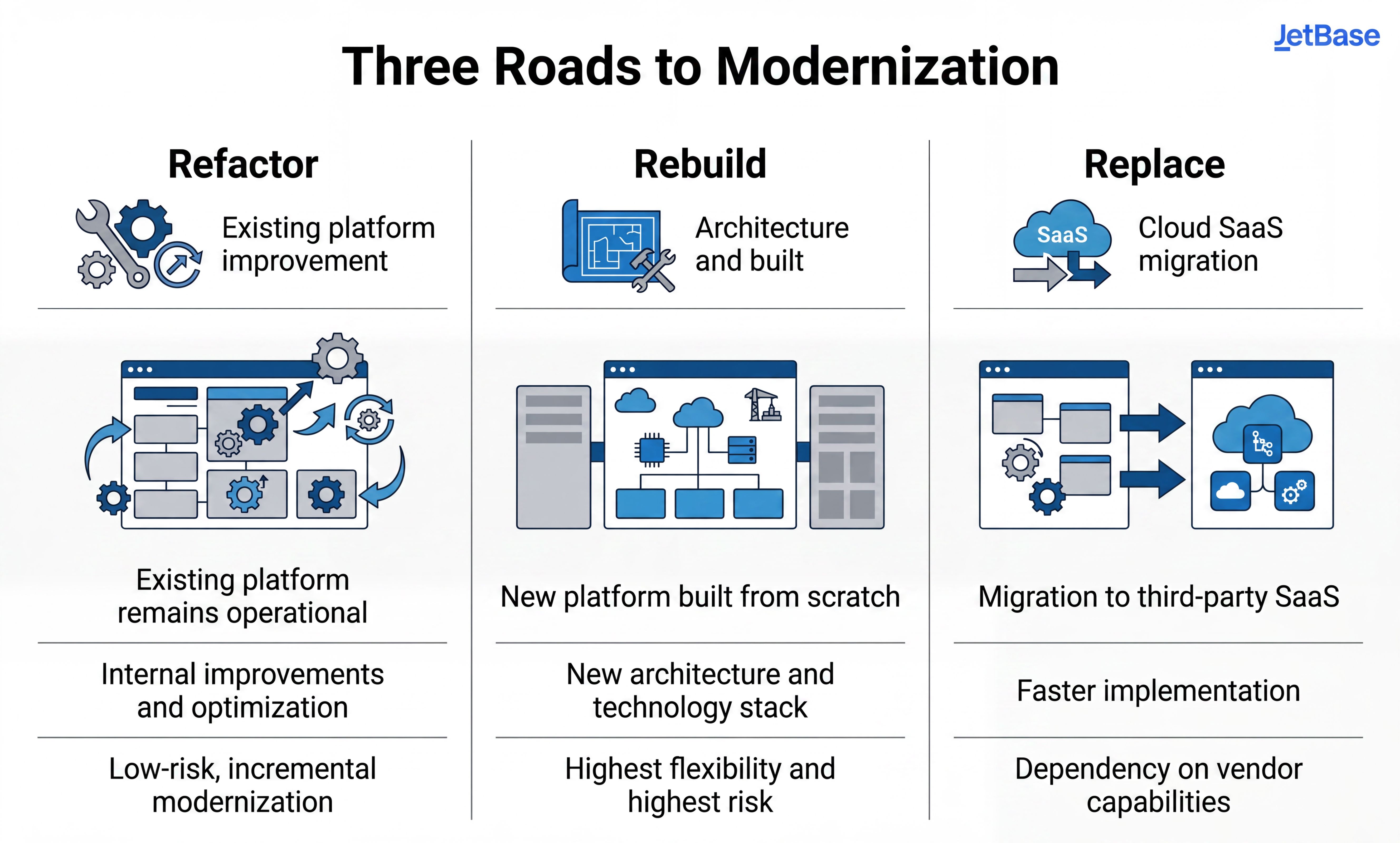
Choosing the wrong modernization strategy can lead to years of unnecessary complexity, budget overruns, and operational disruption. Organizations must evaluate their approach based on current architectural health, budget availability, and business continuity requirements.
| Decision Factor | Refactoring (Evolution) | Rebuilding (Greenfield) | Replacing (Commercial/SaaS) |
|---|---|---|---|
| When to Choose | Core logic is sound, but delivery velocity and code quality have degraded. | Architecture is fundamentally unsalvageable or stack is obsolete. | Workflow is standardized (CRM, HR) and holds no competitive advantage. |
| Upfront Cost | Lower / Distributed over time. | Highest investment (requires dual environments). | Medium (licensing, data migration, setup). |
| Execution Risk | Low — changes are introduced incrementally. | High — massive risk of timeline inflation and feature gaps. | Medium — integration complexity can be underestimated. |
| Feature Delivery | Continues uninterrupted during modernization. | Often paused or split between old and new platforms. | Paused for the target system during data cutover. |
| Long-Term Agility | High for existing stack; scales within current boundaries. | Highest — complete freedom to adopt modern cloud/AI layers. | Dependent on the vendor's roadmap and API capabilities. |
Architectural Deep Dive
- When Refactoring Makes Sense: This is often the safest option when downtime risks are high and business continuity is critical. By improving internal code maintainability and testing without changing core behavior, teams systematically lower technical debt while continuing to deliver product features. In many enterprise environments, gradual refactoring provides the best balance between modernization progress and operational stability.
- When Rebuilding Becomes Necessary: A complete rewrite is justified only when preserving the old foundation becomes more expensive and restrictive than creating a new one. Typical triggers include deeply coupled monolithic architecture, severe scalability limitations, unsupported technologies, impossible-to-maintain codebases, or critical security limitations that cannot be patched.
- The Hidden Trap of Full Rebuilds: The biggest challenge here is hidden complexity. Legacy systems always contain years of undocumented workflows, edge-case logic, operational exceptions, temporary fixes, and fragile integrations that teams underestimate during planning. This often leads to timeline expansion, feature parity gaps, and severe organizational fatigue where stakeholders lose confidence before the new platform is ready.
- When to Replace Legacy Software: Moving away from custom code entirely in favor of a third-party SaaS or enterprise platform allows internal engineering teams to refocus their capacity on proprietary, revenue-generating products. However, replacement becomes highly risky if your existing workflows are deeply customized or tightly integrated into daily business operations, as migration and synchronization challenges are often much larger than initially expected.
Step-by-Step Modernization Roadmap
Legacy modernization rarely happens through one large migration event. In most enterprise environments, modernization is an incremental process where teams continuously balance platform improvements, operational stability, and ongoing product delivery. Successful projects usually focus on reducing operational risk gradually instead of replacing the entire system at once.
| Stage | Focus | Typical Activities |
|---|---|---|
| Discovery & Assessment | Understand system reality | Architecture review, bottleneck analysis, risk and technical debt assessment |
| Dependency Mapping | Identify hidden system coupling | Shared databases, fragile integrations, undocumented workflows, service dependencies |
| Prioritization | Define modernization sequence | Identify systems creating the highest operational or business friction |
| Infrastructure & CI/CD | Stabilize operations | Cloud improvements, deployment automation, monitoring, rollback preparation |
| Incremental Modernization | Reduce migration risk | Gradual service, API, database, or module modernization |
| Testing & Observability | Improve migration visibility | Automated testing, logging, tracing, monitoring, alerting |
| Data & Integration Migration | Preserve continuity | Staged migrations, replication, API abstraction, hybrid environments |
| Rollout & Validation | Minimize disruption | Canary releases, feature flags, traffic shifting, rollback validation |
| Stabilization & Scaling | Optimize long-term operations | Performance tuning, scalability improvements, legacy dependency removal |
Step 1 - Discovery & Assessment
The process begins with understanding the real state of the system. Teams analyze current architecture, technical debt, performance bottlenecks, infrastructure limitations, security exposure, and delivery constraints. Without a proper upfront assessment, modernization decisions quickly become based on assumptions instead of operational reality.
Step 2 - Dependency Mapping
Legacy systems often contain deeply interconnected services, databases, and operational workflows. Dependency mapping helps teams identify fragile coupling, undocumented APIs, hidden authentication flows, shared infrastructure dependencies, and business-critical integrations before any code is modified.
Step 3 - Prioritization
Successful teams rarely modernize everything simultaneously. Modernization starts where operational risk and business impact overlap most clearly. Common priorities include unstable deployment pipelines, infrastructure bottlenecks, or internal modules that directly block critical cloud and AI initiatives.
Step 4 - Infrastructure & CI/CD Improvements
Many companies modernize infrastructure and deployment pipelines early because operational instability creates risk across the entire project. Stabilizing deployment automation, environmental consistency, and rollback preparation early makes all future modernization phases significantly safer.
Step 5 - Incremental Modernization
In most enterprise environments, modernization happens gradually rather than through high-risk upgrades. Teams modernize services, APIs, databases, or modules step-by-step while continuing ongoing product delivery, allowing them to validate changes progressively.
Step 6 - Testing & Observability
Testing and observability become critical validation layers during migration. Modernization projects require establishing robust automated testing, centralized logging, tracing, and real-time alerting. Without proper monitoring visibility, identifying regressions becomes significantly harder.
Step 7 - Data & Integration Migration
Data migration is often one of the highest-risk parts of the roadmap. To preserve data consistency and operational continuity while systems continue running, teams commonly utilize staged migrations, replication layers, temporary hybrid environments, and API abstraction.
Step 8 - Rollout & Validation
Rollout phases focus heavily on minimizing disruption and maintaining rollback readiness. Teams deploy updates using safe traffic-shifting mechanisms such as blue-green deployments, canary releases, and feature flags, ensuring clear rollback paths exist before deployment begins.
Step 9 - Stabilization & Scaling
Modernization does not end immediately after rollout. After the migration is complete, teams continue optimizing scalability, performance, monitoring, and operational workflows under real production workloads while gradually removing the remaining legacy dependencies.
Assess your architecture, identify bottlenecks, and create a roadmap for scalable, future-ready growth.
Common Pitfalls To Avoid in Legacy System Modernization
One of the biggest modernization misconceptions is assuming the main challenge is technology replacement. In reality, the hardest part is usually preserving business continuity while systems, infrastructure, integrations, and workflows continue evolving at the same time. Most modernization risks come from hidden operational complexity rather than from coding itself.
Undocumented Dependencies
Legacy systems often contain far more dependencies than teams initially expect. Common examples include shared databases, undocumented APIs, hardcoded business logic, hidden background jobs, fragile integrations, manual operational scripts, and legacy authentication flows. In many environments, teams only discover these dependencies after migration issues begin appearing in production. This is one of the main reasons modernization projects become larger and slower over time.
Data Migration Risks
Data migration is often one of the highest-risk parts of modernization. Typical problems include inconsistent data structures, duplicate records, legacy formatting issues, corrupted historical data, synchronization conflicts, and unclear ownership of business data. The complexity becomes even higher when systems must continue operating during migration while live data constantly changes. Rollback scenarios also become significantly more difficult once multiple systems start synchronizing simultaneously.
Business Continuity Challenges
Most companies cannot pause operations while modernization happens. Customers still expect stable services, uninterrupted access, reliable integrations, and continuous feature delivery throughout migration. In industries like healthcare, fintech, and logistics, operational disruption may directly affect revenue, compliance, or critical business workflows. This is why modernization projects usually prioritize gradual rollout strategies instead of large one-time migrations.
Integration Failures
Integrations are often much more fragile than companies expect. Legacy systems may depend on payment providers, ERPs, CRMs, reporting tools, customer environments, partner APIs, and internal operational systems that evolved over many years without centralized governance. Even relatively small API or schema changes can trigger cascading failures across multiple connected systems. In highly integrated enterprise environments, integration sequencing often becomes one of the biggest modernization challenges.
Infrastructure and Cloud Cost Surprises
Many companies underestimate the temporary infrastructure costs created during modernization. Common hidden costs include dual infrastructure environments, migration tooling, expanded monitoring, observability platforms, backup duplication, rollback infrastructure, staging environments, and cloud traffic or data transfer costs. Cloud modernization can also temporarily increase operational spending before long-term optimization improves efficiency.
Testing and QA Complexity
Modernization projects usually require significantly more testing effort than companies initially expect. Even when functionality appears unchanged, modernization often affects system behavior in subtle ways. Legacy environments frequently lack automated testing, reliable staging environments, regression validation processes, or proper observability. As a result, QA effort often grows substantially during migration phases.
Knowledge Concentration Risks
Many legacy systems depend heavily on a small number of engineers who understand deployment logic, integrations, operational workarounds, and system behavior in production. This creates major organizational fragility. If critical knowledge exists primarily inside a few individuals instead of scalable engineering processes, modernization becomes slower, riskier, and heavily dependent on key personnel availability. In some environments, institutional knowledge becomes more important than documentation itself.
Operational Downtime Risks
Modernization projects can accidentally create downtime through incomplete dependency mapping, poorly sequenced deployments, infrastructure misconfigurations, synchronization failures, API incompatibilities, or weak rollback planning. The risk becomes significantly higher in systems with limited monitoring visibility or fragile deployment processes. This is why phased rollout, rollback readiness, and parallel validation environments are critical during migration.
Security and Compliance Issues
Modernization can temporarily increase security exposure if migration processes are not controlled carefully. Common risks include inconsistent access control, insecure temporary integrations, exposed data pipelines, insufficient audit logging, secrets management issues, and cloud misconfigurations. In healthcare, fintech, and other regulated industries, modernization must preserve auditability, encryption standards, access traceability, and compliance requirements throughout the entire transition process.
The Role of Cloud and AI in Legacy Modernization
AI is changing modernization projects primarily by reducing the amount of manual investigation work engineers need to do. Its biggest value today is not “automatically modernizing” systems, but helping teams understand legacy platforms faster, identify risks earlier, and move through discovery and migration planning more efficiently. This is especially useful in large systems with poor documentation, tightly coupled architecture, or codebases maintained by multiple teams over many years.
AI-Assisted Code Analysis
One of the most practical AI use cases is helping engineers understand unfamiliar legacy codebases faster. AI tools can summarize what specific modules do, where business logic is located, how services are connected, which dependencies exist, and what risks may appear if certain components are changed. This becomes especially valuable when original developers are no longer available or documentation is incomplete. In many modernization projects, understanding the old system is harder than building the new one.
AI for Documentation Generation
Many legacy systems contain years of undocumented logic and operational behavior. AI can help generate first drafts of technical documentation, API descriptions, module summaries, onboarding materials, migration checklists, and architecture notes. This significantly reduces documentation effort during discovery phases. However, engineering validation is still critical because AI may miss production-specific behavior, edge cases, or business context that does not exist directly inside the code.
Dependency Mapping with AI
AI is increasingly useful for identifying hidden dependencies across services, databases, APIs, and infrastructure components. It can help detect tightly coupled modules, duplicated logic, hidden integration paths, shared dependencies, and risky modernization areas. This improves migration planning because teams gain better visibility into how changes may affect surrounding systems. In large enterprise environments, dependency visibility alone can significantly reduce migration risk.
AI-Powered Testing and QA
Testing is one of the areas where AI already provides practical value. AI can assist with unit test generation, regression test suggestions, edge-case identification, test data generation, and production log analysis. This is especially useful in legacy environments where automated test coverage is weak or missing entirely. AI can also help teams identify which workflows require the highest validation priority before migration begins.
AI for Refactoring Support
AI tools can support engineers during refactoring by suggesting cleaner code structures, dependency upgrades, migration paths, duplicated logic reduction, and safer code organization patterns. Some teams also use LLM-based assistants during pull request reviews, infrastructure analysis, and migration planning. However, AI-generated refactoring suggestions still require careful engineering review because technically “clean” changes are not always operationally safe.
Limitations of AI in Modernization
The biggest limitation of AI is context. AI may understand syntax and code structure, but it does not automatically understand business priorities, compliance requirements, production exceptions, operational dependencies, or why certain workflows evolved over time. AI-generated recommendations can also create false confidence. Some suggestions may look technically correct while introducing operational, scalability, or integration risks. This is why AI output should always be validated through testing, architectural review, and engineering judgment.
Human Expertise Still Matters
Despite rapid AI progress, modernization still requires deep human expertise. Critical decisions around architecture, migration sequencing, rollback planning, compliance, data migration, integration stability, and production rollout still require experienced engineers who understand how the system behaves in real production environments. AI can accelerate analysis and reduce repetitive work, but humans remain responsible for deciding what is safe, realistic, and sustainable for the business.
Practical Case Study
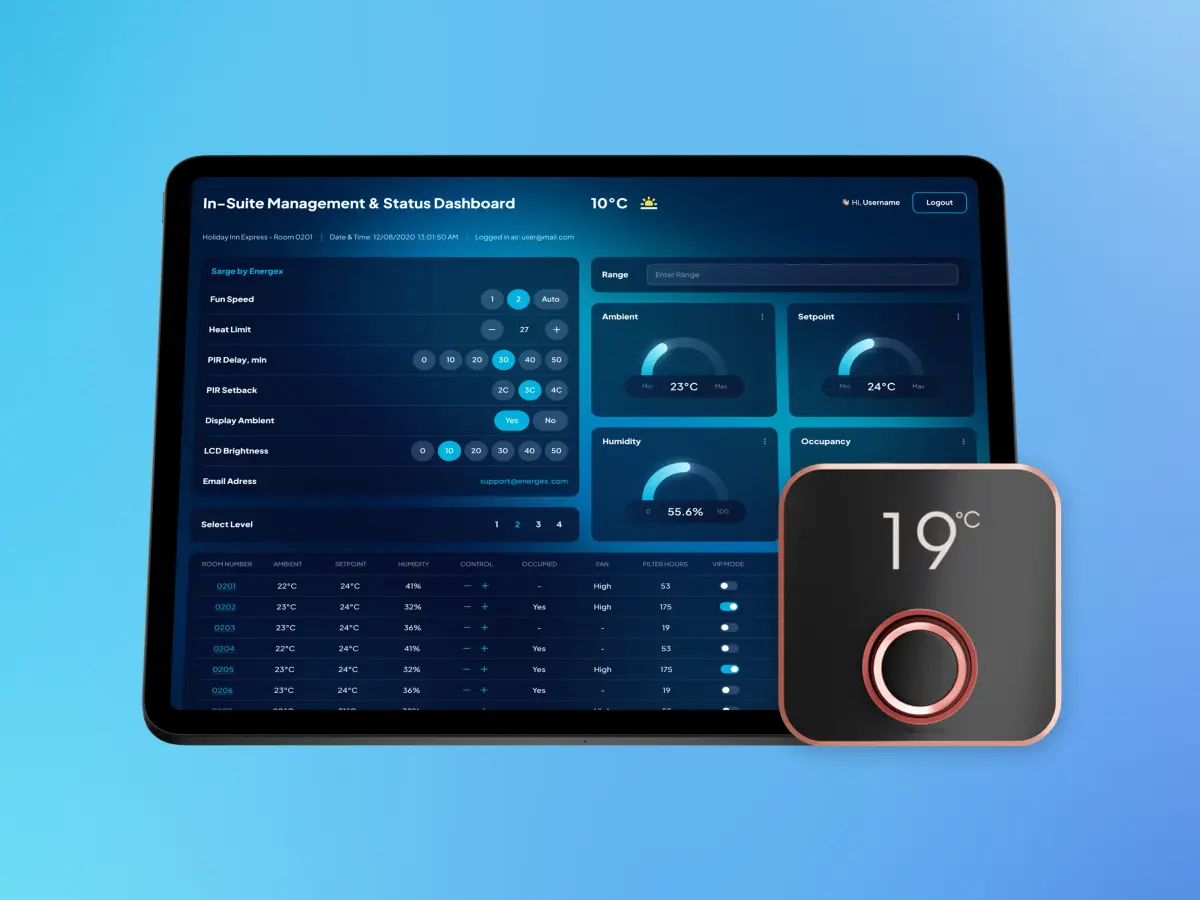
To better understand how modernization can create measurable business value, let's look at a real-world project completed by JetBase for a cloud-connected and AI-driven energy management platform used by hotels.
The platform relied on smart thermostats equipped with sensors, cloud infrastructure, and AI-powered decision-making to optimize energy consumption and improve guest comfort. However, the client faced a major challenge: cloud infrastructure costs were significantly higher than expected. The large volume of data transmitted from connected devices was rapidly consuming the infrastructure budget and threatening the long-term viability of the business model.
Rather than replacing the solution, JetBase focused on modernizing and optimizing the existing platform to improve efficiency while preserving its core functionality.
| Attribute | Case Study Details |
|---|---|
| Industry | Cloud-Connected AI Platform |
| Platform Type | High cloud infrastructure costs, excessive data transmission, inefficient resource utilization |
| Business Risks | Reduced profitability and limited ability to scale the solution cost-effectively |
| Modernization Strategy | Legacy refactoring, AWS optimization, DevOps improvements, and infrastructure modernization |
| Technology Stack | Rails, AWS, Serverless |
| Key Outcomes | Infrastructure costs ↓25%, production incidents ↓40%, annual savings of $15,000–$20,000 per 1,000 devices |
Why This Case Matters
This project demonstrates that modernization is not always about rebuilding applications or replacing systems. In many cases, targeted infrastructure optimization and legacy refactoring can significantly reduce operational costs while supporting future growth.
What Made Modernization Effective
The team focused on analyzing how devices interacted with cloud infrastructure and identifying opportunities to reduce unnecessary data transmission. This allowed the platform to maintain its functionality while dramatically improving cost efficiency.
Technical and Operational Lessons
One of the most important lessons from this project was that architecture and infrastructure decisions can have a major impact on long-term operational costs. By optimizing data flows and cloud resource usage, the team helped create a more sustainable foundation for future expansion.
Modernization doesn't always require a complete rebuild. In many cases, targeted architecture improvements and infrastructure optimization can deliver significant business value while creating a stronger foundation for future growth.
Want to learn more about this project? Read the full Energex case study.
The Business Case: Measuring Modernization ROI
To secure executive alignment, engineering leaders must translate technical debt into financial metrics. Calculating the Return on Investment (ROI) of a modernization initiative requires balancing the cost of action against the compounding cost of inaction.
The Financial Framework
A pragmatic ROI framework evaluates four distinct financial vectors:
- Cost Reductions (CR): Direct savings from lower cloud infrastructure bills, reduced third-party licensing fees, and minimal emergency maintenance or incident response overhead.
- Velocity Gains (VG): The financial value of accelerating time-to-market. Faster deployment cycles mean new revenue-generating features are shipped sooner.
- Risk Mitigation (RM): The avoided cost of potential security breaches, compliance penalties (like GDPR or HIPAA violations), or major system outages that result in missed Service Level Agreements (SLAs).
- Modernization Investment (I): The total capital required for implementation, including engineering hours, consulting, temporary dual-infrastructure running costs, and testing.
Core ROI Formulas
To quantify the efficiency of the project, businesses can apply the classic Return on Investment formula, adapted for architectural changes:
Modernization ROI = [ (CR + VG + RM) - I ] / I * 100%
Where the annualized value of engineering velocity gains (VG) is calculated by mapping developer time from maintenance back to innovation:
Velocity Gains (VG) = Total Engineers * Average Annual Salary * % Time Shifted from Bug-Fixing to Feature Delivery
Similarly, the financial value of risk mitigation (RM) utilizes the Annualized Loss Expectancy (ALE) model before and after the architecture change:
Risk Mitigation (RM) = ALE (Legacy) - ALE (Modernized)
Where Annualized Loss Expectancy is calculated as:
ALE = Annual Rate of Occurrence (Incident Frequency) * Single Loss Expectancy (Cost per Incident)
Visualizing the Payback Period
While full modernization requires an upfront capital injection, the cost of maintaining a legacy system scales quickly over time due to accumulating complexity. The inflection point—where the modernized system becomes more cost-effective than the legacy baseline—typically occurs within 12 to 18 months post-deployment.
Executive Summary for C-Level: In enterprise environments, a successful modernization project targets a 20-30% reduction in infrastructure OpEx and shifts up to 40% of engineering capacity away from legacy troubleshooting toward product innovation, directly accelerating top-line revenue growth.
Cost of Legacy Modernization
Legacy system modernization costs are rarely driven by code migration alone. In most enterprise environments, the biggest expenses come from managing operational risk while systems continue running in production. Engineering implementation is only one part of the overall modernization effort. The more business-critical and interconnected the platform becomes, the more expensive legacy modernization usually gets.
What Drives Modernization Costs
Several factors influence modernization budgets more than others: system complexity, integration depth, technical debt, compliance requirements, operational continuity, data migration difficulty, and rollout risk tolerance. One of the most important cost drivers is how safely the business must continue operating during modernization. For example, modernizing an internal reporting tool is very different from modernizing a healthcare platform supporting live patient workflows or a SaaS product serving thousands of active users.
Why Modernization Budgets Often Grow
Modernization projects are difficult to estimate accurately because companies rarely see the full complexity upfront. Initial estimates are usually based on visible architecture, known integrations, documented workflows, and existing infrastructure. But once modernization begins, teams often discover undocumented dependencies, hidden operational scripts, environment-specific behavior, inconsistent data structures, legacy authentication flows, and tightly coupled integrations. This is one of the main reasons budgets and timelines expand during execution. In many legacy application modernization projects, engineering teams first need to reverse-engineer the system before they can modernize it safely.
| Cost Area | Why It Becomes Expensive |
|---|---|
| Integrations | Validation, migration sequencing, rollback support, compatibility handling. |
| Data Migration | Synchronization, cleanup, rollback planning, downtime prevention. |
| Testing & QA | Regression coverage, migration validation, staging environments. |
| Operational Continuity | Parallel systems, monitoring, rollout coordination, production support. |
| Compliance & Security | Auditability, encryption validation, access control, documentation. |
| Observability | Logging, tracing, monitoring, incident visibility. |
| Infrastructure Transition | Temporary hybrid environments, cloud migration, rollback infrastructure. |
Refactor vs Rebuild vs Replace Costs
Different modernization strategies create very different cost structures and risk profiles. Lower short-term cost does not automatically mean lower total cost. Some “cheap” modernization approaches only delay larger architectural problems that become more expensive later.
- Refactoring: Lower initial investment, but slower architectural transformation.
- Rebuilding: Highest engineering and migration cost, but provides greater long-term flexibility.
- Replacing: Lower engineering effort if SaaS alternatives exist, but carries high integration and operational migration complexity.
Many organizations combine these approaches through incremental modernization, distributing costs and risk over multiple phases rather than a single large transformation project.
| Project Type | Typical Scope | Estimated Range |
|---|---|---|
| Small Internal System | Infrastructure upgrades, CI/CD, limited refactoring. | $14,000 – $60,000 |
| Mid-Size SaaS Modernization | API modernization, cloud migration, deployment automation, partial refactoring. | $20,000 - $150,000 |
| Enterprise Legacy Modernization | Large-scale architecture overhaul, integrations, data migration, compliance-heavy. | $20,000 - $300,000 |
| Full Platform Rebuild | New architecture, migration layers, parallel operations, large-scale rollout. | $150,000–$2M+ (depending on system complexity and team size) |
Integration and Data Migration Costs
Integrations are often one of the largest modernization budget drivers. Legacy systems may depend on external APIs, partner platforms, ERPs, CRMs, analytics systems, authentication providers, and customer-specific workflows. Each integration introduces additional testing, sequencing, rollback, and validation requirements. Data migration creates similar complexity: teams need to clean inconsistent data, validate synchronization logic, preserve historical records, maintain rollback readiness, and minimize production disruption.
Infrastructure and Cloud Migration Costs
Cloud modernization often increases costs temporarily before long-term improvements appear. During migration, companies may need to maintain legacy infrastructure, cloud environments, synchronization layers, rollback infrastructure, staging systems, and hybrid operational environments simultaneously. Additional costs appear around observability tooling, monitoring expansion, cloud traffic, backup duplication, and migration automation.
Testing and QA Complexity
Testing becomes significantly more expensive during modernization because system behavior changes in subtle ways even when functionality appears identical externally. Strong QA processes are required for regression testing, integration validation, rollback testing, migration verification, performance testing, and production stability checks. Many legacy environments also lack reliable automated testing coverage, forcing teams to improve testing infrastructure during modernization itself.
Compliance and Security Costs
In healthcare, SaaS, fintech, and other regulated industries, compliance requirements increase modernization effort significantly. Teams may need to redesign access control, audit logging, encryption handling, deployment traceability, and infrastructure security workflows. Compliance also increases documentation, testing, operational review, and rollout validation requirements throughout migration.
Hidden Operational Costs
One of the most underestimated modernization expenses is maintaining operational continuity during migration. Companies often underestimate the cost of rollback preparation, temporary dual-system maintenance, retraining engineering teams, migration coordination, stabilization periods, expanded monitoring, and ongoing production support during rollout phases.
What Usually Delivers the Fastest ROI
The fastest modernization ROI usually comes from reducing operational friction early. Projects focused on CI/CD modernization, observability, deployment automation, infrastructure optimization, API modernization, and scalability bottlenecks often improve release speed, reduce downtime risk, and lower engineering overhead relatively quickly. These improvements usually create measurable operational impact long before full architectural modernization is completed.
Why Delaying Modernization Becomes Expensive
The longer modernization is postponed, the more technical debt and operational complexity accumulate. Over time, companies face slower feature delivery, rising maintenance costs, growing infrastructure inefficiency, increased downtime risk, more fragile integrations, and reduced ability to adopt modern technologies like AI. Eventually, the business is no longer paying only for modernization itself. It is continuously paying for the cost of architectural stagnation.
Planning a Legacy Modernization Initiative?
Legacy modernization projects often involve much more than code migration alone. In many cases, organizations need to balance architecture improvements, cloud migration, deployment automation, operational continuity, security requirements, compliance obligations, and ongoing product delivery at the same time.
At JetBase, we help companies assess legacy systems, identify modernization priorities, and build practical roadmaps that reduce operational risk while supporting long-term scalability. Our teams work with SaaS, healthcare, and cloud-native platforms where engineering velocity, reliability, security, and maintainability directly impact business growth.
Whether you are evaluating legacy modernization strategies, planning a cloud migration, refactoring a monolithic application, or preparing your platform for future AI initiatives, the most successful modernization projects start with a clear understanding of the current architecture, technical debt, and business objectives.
Whether you're planning a cloud migration, refactoring a monolith, or preparing for AI adoption, we'll help you build a modernization strategy aligned with your business goals.